AI-assisted wafer testing with BliKVM
Capture wafer test screens, learn from inspection samples, and turn probe-mark findings into structured messages that guide BliKVM keyboard and mouse actions.
Wafer testing and sample capture
The tester shows the wafer map, lot run state, yield, and pass/fail counts. The AI learning panel on the right lists captured screens for selecting samples and reviewing changes over time.
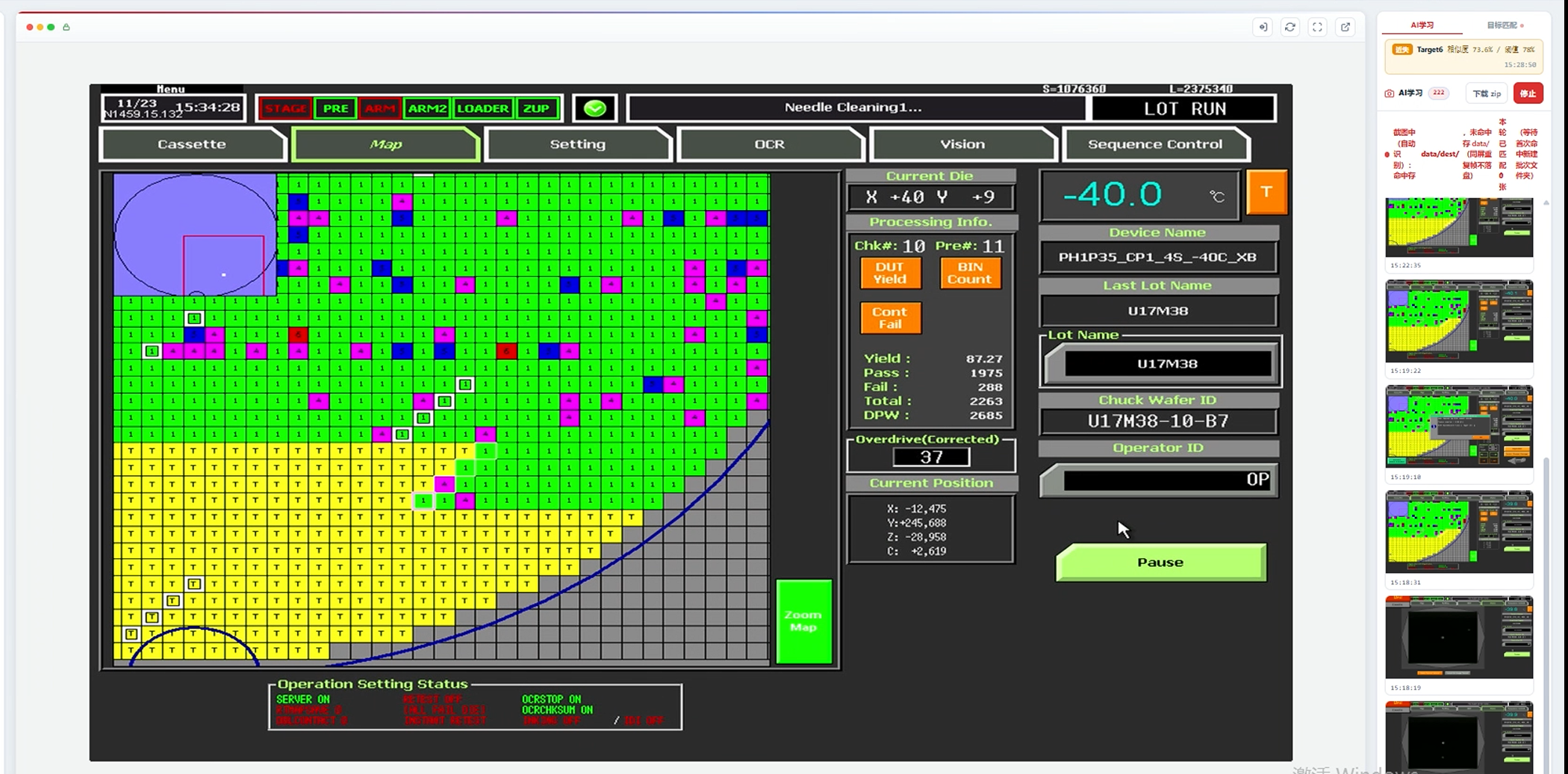
From tester screens to UI actions
Capture the tester screen
Capture the tester display through BliKVM and retain wafer maps, run states, and screenshots for analysis.
Analyze inspection samples
The site’s workbench uses selected examples to learn what to identify, then displays probe-mark images alongside measurements, defect categories, and production-line verdicts.
Generate a structured message
Record machine state, findings, screenshot references, and the next step in a message that the integration can read and trace back to the screen.
Execute through the HID API
The integration checks the current screen and uses the BliKVM keyboard and mouse API for configured actions, such as opening inspection details, switching views, or entering text. A fresh capture shows the resulting state.
Example structured message
This example records a probe-mark finding from a paused lot and points to inspection details for review. The site integration defines the fields and values.
{
  "stage": "probe_mark_inspection",
  "machine_state": "LOT_PAUSED",
  "finding": "edge_blocking",
  "evidence": "inspection_screenshot",
  "next_step": "review_inspection_detail"
}
BliKVM’s role in the integration
The site workbench handles sample learning, inspection analysis, and message generation. BliKVM captures the tester display and delivers API-driven clicks and keystrokes to the target through USB HID.
View BliKVM OpenAPI