Control your computer, even when it won’t boot
Troubleshoot BIOS or mount an installer from your browser without installing software on the target. BliKVM supports signed updates and web diagnostics. On devices with A/B updates, the previous system remains available for rollback, and the new version is committed only after boot health checks pass. Add BliSwitch to manage four or eight computers, or use OpenAPI to automate tests.

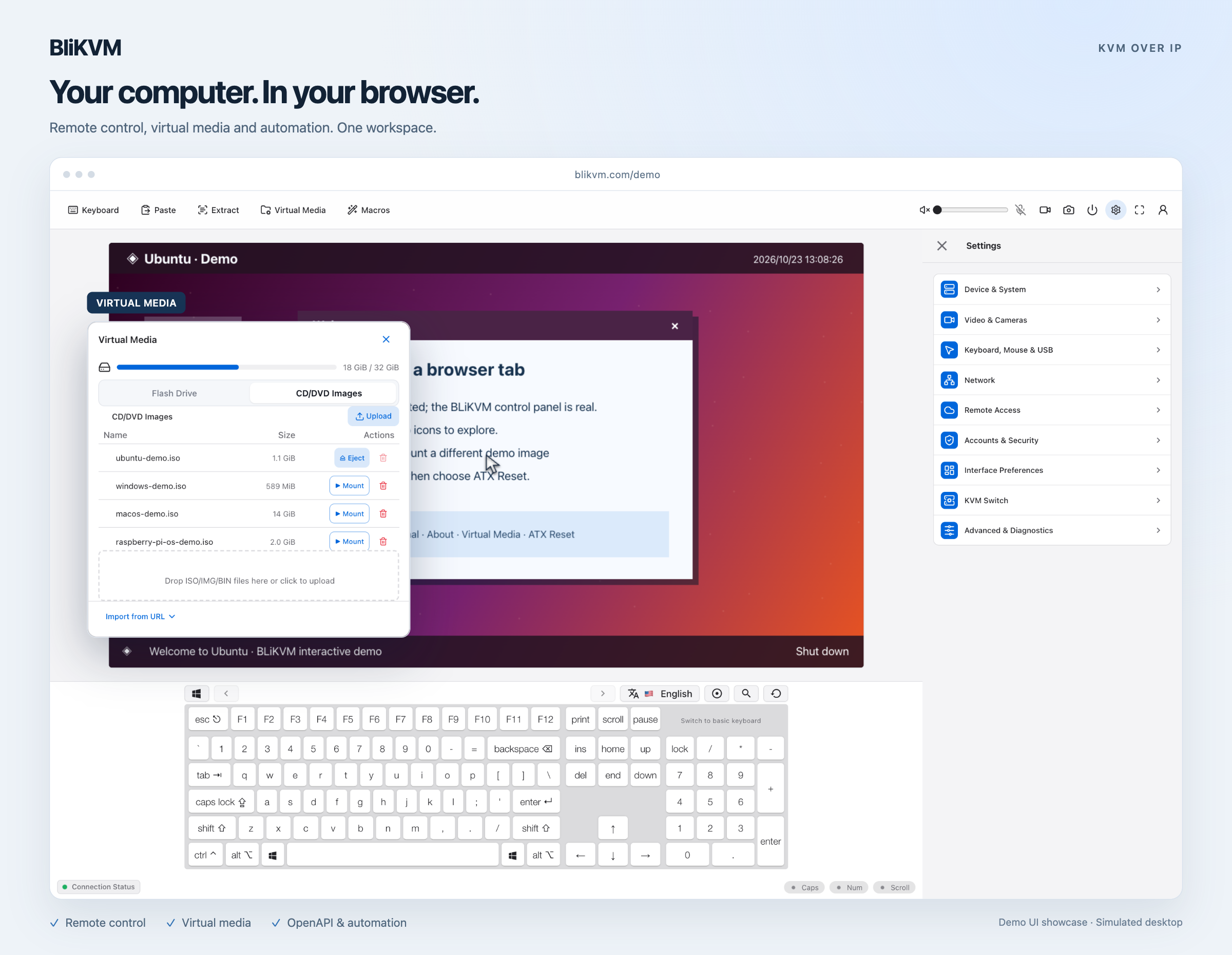
Your computer, in your browser
Explore remote video, keyboard control, and virtual media in the BliKVM console.
From cables to remote control
BliKVM v4 example: HDMI carries video, USB carries keyboard and mouse input, and your browser connects over the network.
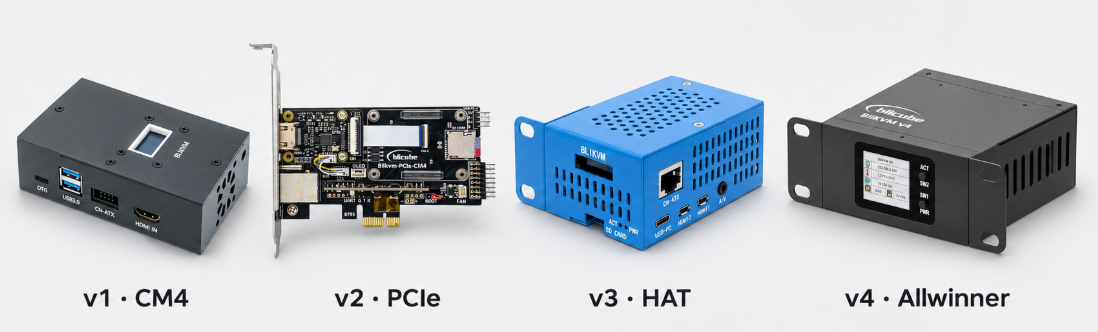
BliKVM v4Separately poweredWhich BliKVM is right for you?
Start with the hardware you have and how you want to install it.


What can you do with BliKVM?
One BliKVM, multiple computers
Connect your computers to a BliSwitch and select the one to control from the same browser console. Share one BliKVM across a test bench, rack, or group of PCs.
Compare BliSwitch models →Troubleshoot remotely
View the boot screen and use the keyboard and mouse in BIOS even when the operating system is unavailable.
Explore the console →Install and recover
Mount an installer or rescue image as virtual media, and add ATX control for remote power and reset.
Read the user guide →Build automations
Use OpenAPI to integrate KVM actions into test workflows, such as sending keystrokes for BIOS verification.
Read the API guide →Camera and microphone
Extend remote audio and video with UVC camera forwarding, USB microphone emulation, or a second camera input.
Read the camera guide →
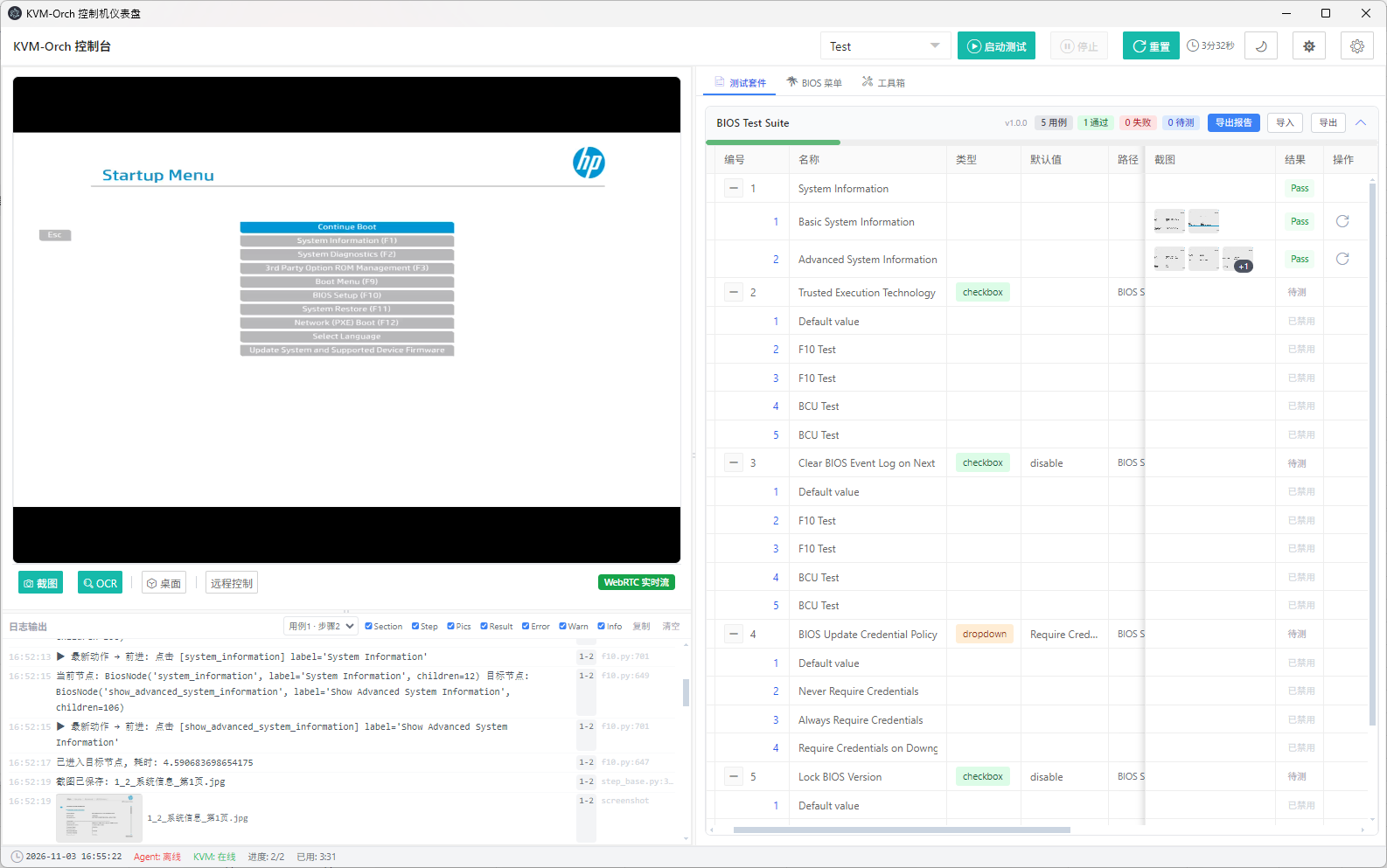
HP PC BIOS testing with BliKVM
See how a user-built KVM-Orch console brings remote video, BIOS test cases, execution logs and screenshot evidence into one workflow.